HighLevel Refund Audit Logs: Track Who Issued Refunds
HighLevel added audit logging for refunds, giving you visibility into who is processing refunds and when.
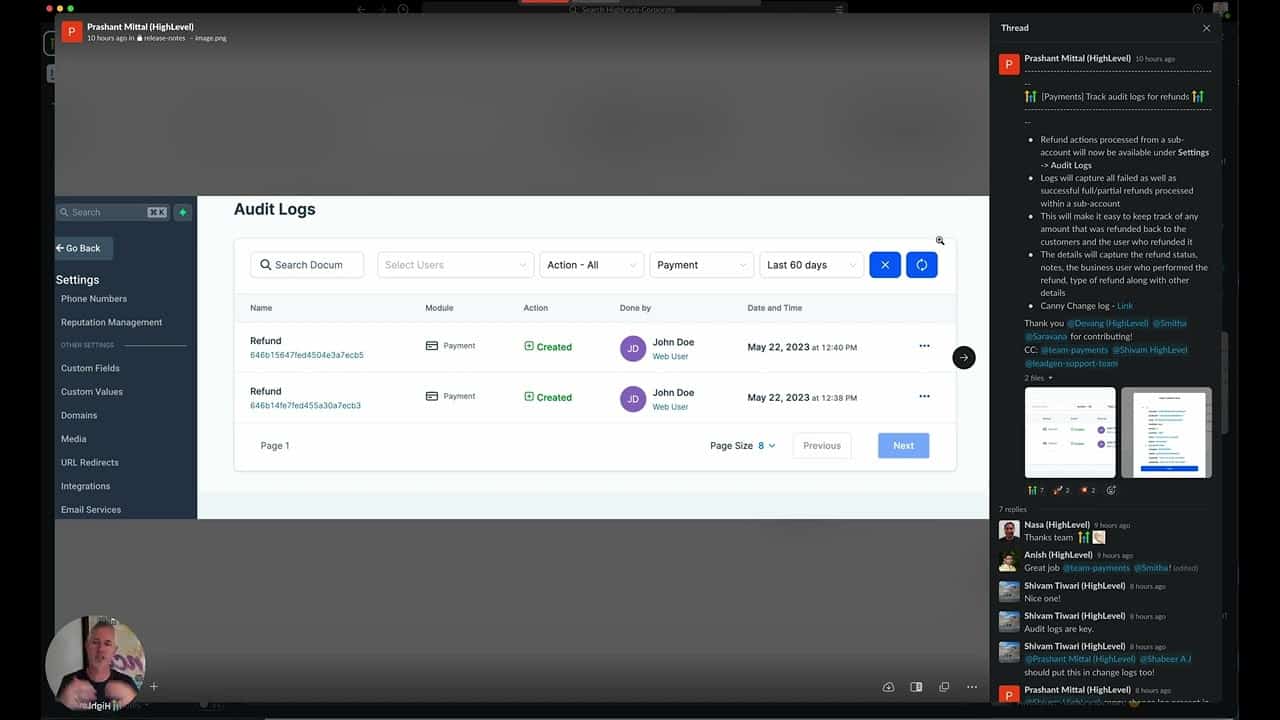
Click on the image above to watch the full video.
What Audit Logs Show
For each refund, you can see:
- Charge ID — The original payment
- User ID — Who processed the refund
- Refund ID — Unique identifier
- Amount — How much was refunded
- Date and Time — When it happened
Where to Find Audit Logs
Agency Level
Go to Agency Settings → Audit Logs to see refunds across all sub-accounts.
Sub-Account Level
Go to Settings → Audit Logs to see refunds for that specific account.
Our Toolbox. Every platform, plugin, and service we use and recommend, in one place. See the list →
Why This Matters
Accountability
Know exactly who processed each refund — important when multiple team members have access.
Fraud Prevention
Spot unauthorized refunds quickly.
Dispute Resolution
When customers claim they didn't receive a refund, you have proof.
Reporting
Track refund trends over time.
Use Cases
- Agencies — Monitor refunds across client accounts
- Teams — Know which team member processed each refund
- Compliance — Maintain records for accounting
- Investigation — Track down suspicious activity
See Also
- HighLevel — The platform
See Also
This article blends original content, AI-assisted drafting, and human oversight. How I write.
Stay Updated
Get notified when new content is published.
No spam. Unsubscribe anytime.