Sales Calculators
Sales Calculators
Interactive tools that help prospects visualize their marketing needs, ROI, or potential savings. Used by agencies as Sales enablement tools to make the value tangible before the pitch.
Why They Work
- Prospect inputs their own numbers (creates ownership/buy-in)
- Shows industry-standard benchmarks (positions you as expert)
- Makes abstract value concrete ("you need 6,667 leads/month")
- Natural transition to "we can help you hit those numbers"
- Creates a deliverable (downloadable report) even before they become a client
The Bear North example adds lead capture—"Email My Growth Plan"—so it doubles as a lead gen tool, not just a sales call prop.
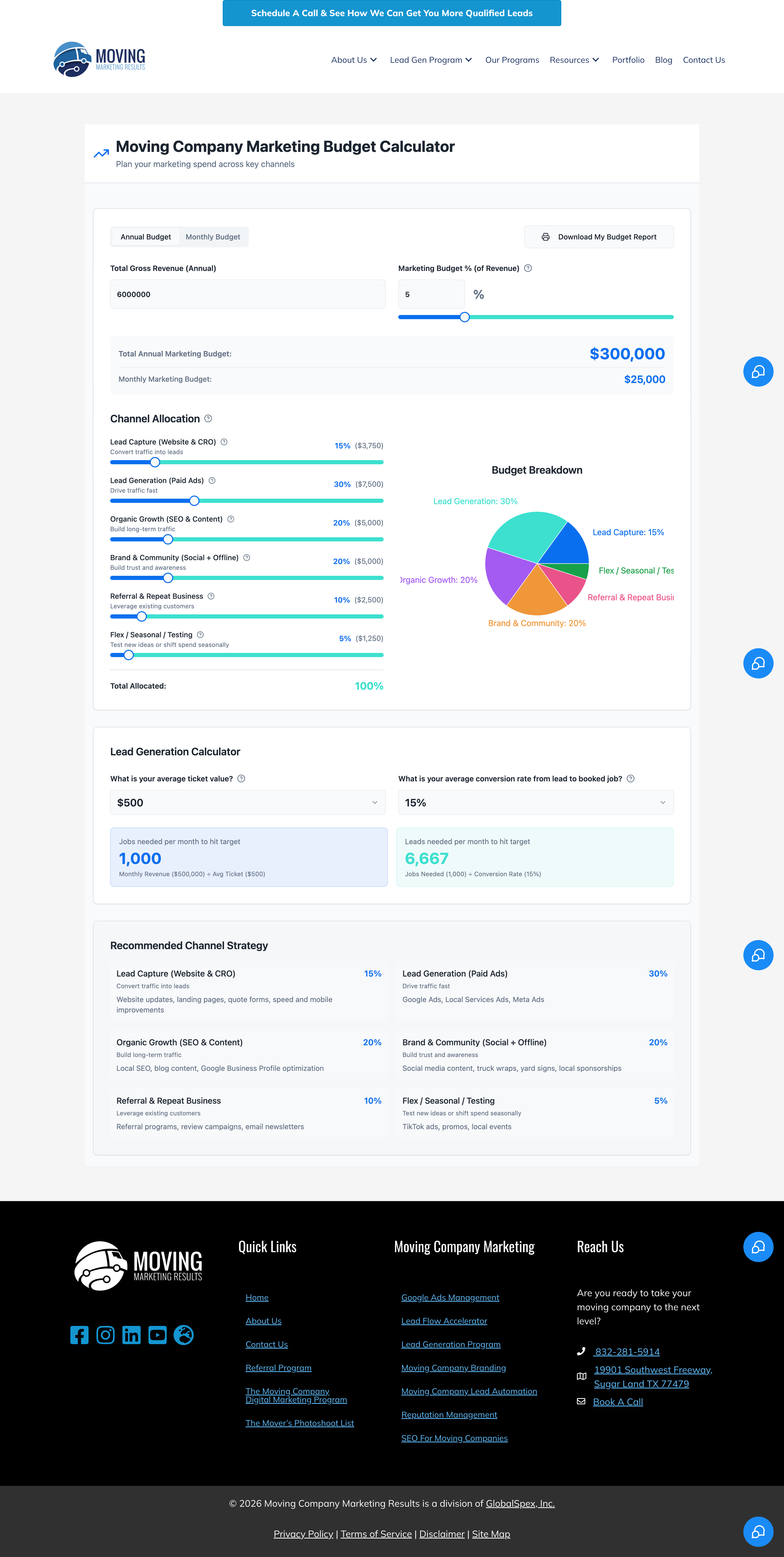
Example: Moving Company Marketing Budget Calculator
Source: https://movingmarketingresults.com/marketing-calculator/
Inputs:
- Total Gross Revenue (Annual)
- Marketing Budget % of Revenue
Calculations:
- Total Annual Marketing Budget
- Monthly Marketing Budget
Channel Allocation (sliders):
- Lead Capture (Website & CRO) - 5%
- Lead Generation (Paid Ads) - 30%
- Organic Growth (SEO & Content) - 20%
- Brand & Community (Social + Offline) - 20%
- Referral & Repeat Business - 15%
- Flex / Seasonal / Testing - 10%
Lead Generation Math:
- Average ticket value
- Conversion rate (lead → booked job)
- Jobs needed per month to hit target
- Leads needed per month to hit target
Output:
- Visual pie chart of budget breakdown
- Recommended channel strategy with descriptions
- Downloadable PDF budget report
Example 2: Bear North Digital "2026 Growth Planner"
Source: https://calculator.bearnorthdigital.com/
Our Toolbox. Every platform, plugin, and service we use and recommend, in one place. See the list →
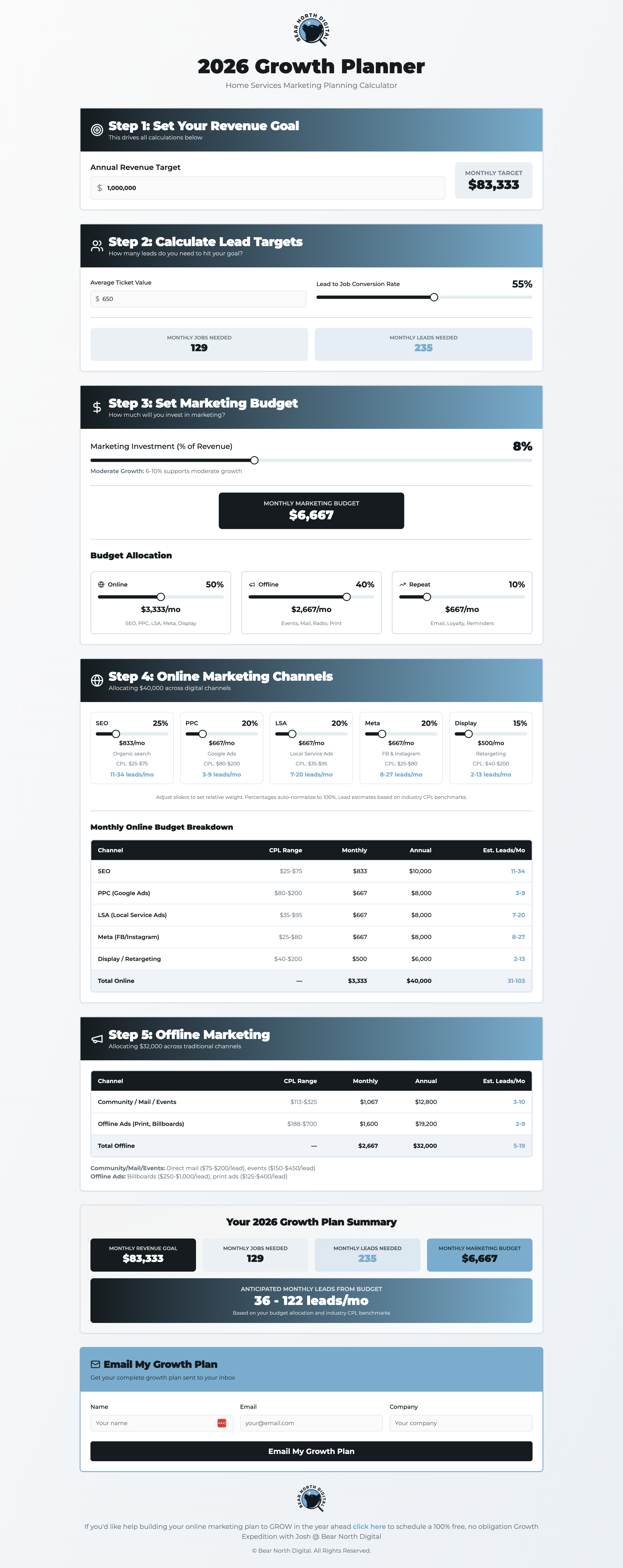
Step 1: Set Your Revenue Goal
- Annual Revenue Target → Monthly revenue
Step 2: Calculate Lead Targets
- Average Ticket Value
- Lead to Job Conversion Rate
- Jobs needed per month
- Leads needed per month
Step 3: Set Marketing Budget
- Marketing Investment (% of Revenue) slider
- Budget Allocation breakdown:
- Online (50%)
- Offline (40%)
- Reserve (10%)
Step 4: Online Marketing Channels
- Sliders for: SEO, PPC, LSA, Direct Mail, Other
- Monthly Online Budget Breakdown table with:
- Channel, CPC Range, Monthly, Annual, Est. Leads/Mo
Step 5: Offline Marketing
- Community/Field Teams
- Offline Ads (Print, Billboards)
Summary:
- 2026 Growth Plan Summary with all key numbers
- Anticipated monthly leads from budget (range)
Lead Capture:
- "Email My Growth Plan" button with name/email/company fields
How to Build One
Could build with Typeform, HighLevel forms with calculations, or custom code via Cursor or Replit. The key is the logic—map out the calculations and user flow first.
See Also
This article blends original content, AI-assisted drafting, and human oversight. How I write.
Stay Updated
Get notified when new content is published.
No spam. Unsubscribe anytime.