Build Your Agency's Internal Wiki With Claude Code
I was on a Seven Figure Agency coaching call last week with a group of agency owners. I asked the question that always comes up: where do you put your stuff? People mentioned a Google Drive folder, or Notion, or whatever the tool of the moment is. One agency owner described being overwhelmed with hundreds of SOPs, some outdated, some probably not even being used anymore. That is the real shape of agency documentation. You write SOPs and then lose them inside your own filing system.
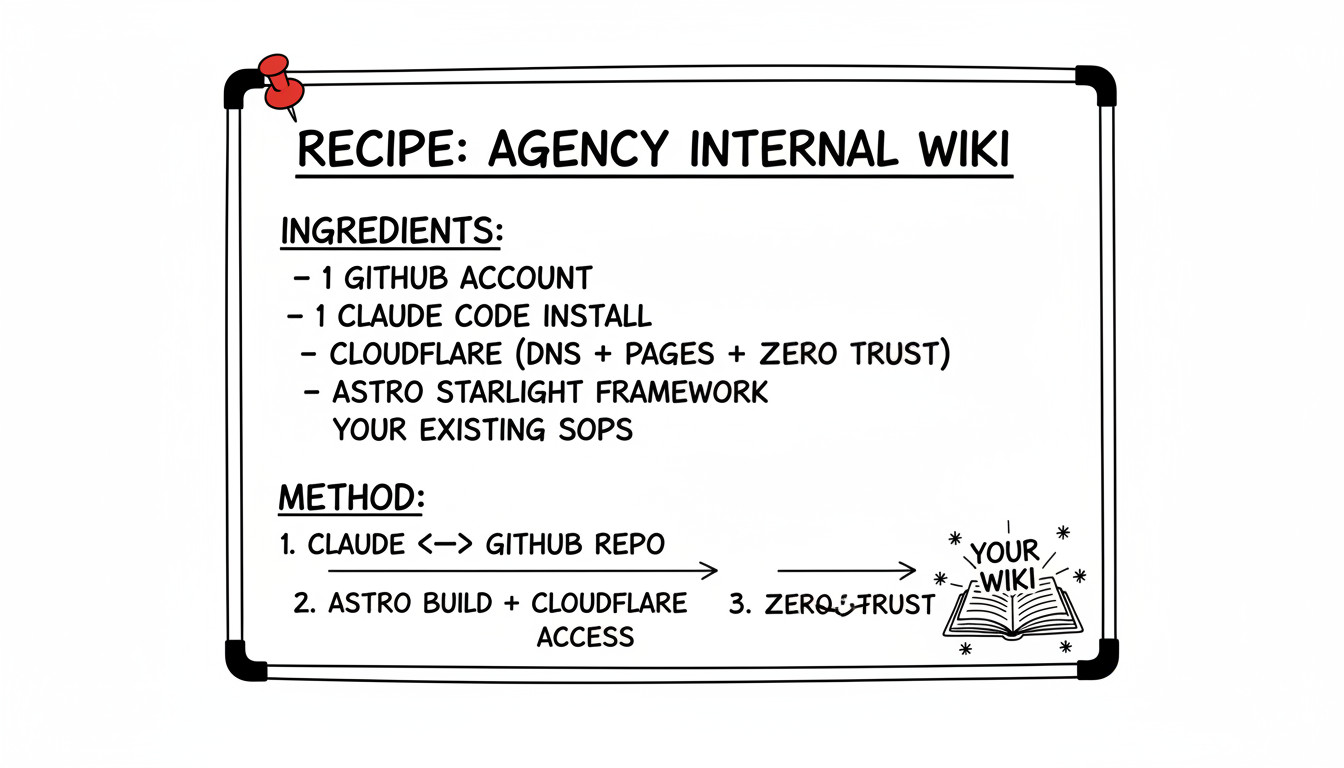
So I walked them through how I built mine. Same setup, end to end, that I use for The Marketing Show internal wiki. Version-controlled, hosted free, locked down to my team, and edited entirely from a conversation with Claude Code. By the end of the call I had spun up a brand new working example from scratch in front of them, pushed it to GitHub, and shown them how to clone it and start adding their own content. The whole thing took about 20 minutes.
This article is the recipe.
The Old Way Versus the New Way
The old way of running agency SOPs looks like this. Someone writes a process down. They put it somewhere. Six months later nobody can find it, the screenshots are out of date, and the person who wrote it has moved on. So someone else writes a new version of the same SOP. The new version sits next to the old version. Now there are two SOPs that disagree with each other. Multiply that by 40 processes and 5 team members and 3 years of operations, and you have a documentation graveyard.
The new way looks like this. Every SOP is a plain text file. Every change is tracked, with a name and a date attached, so you always know who edited what and when. The whole site is rebuilt the moment you save. Your team logs in with their work email and sees the latest version of everything. Anyone on the team can propose a change. You review it like you are reviewing a pull request, because that is exactly what it is.
That is not theory. That is what GitHub already does for software, and the realization on the call was that documentation is the same shape as software. So you can use the same tooling.
The Recipe (Five Ingredients)
Here is what you need on the counter before you start cooking.
| Ingredient | What It Does | Cost |
|---|---|---|
| GitHub | Stores the files, tracks every change, hosts the pull request flow | Free |
| Claude Code | The AI agent that scaffolds, edits, and explains everything | Flat monthly subscription |
| Cloudflare | DNS, free hosting via Pages, and the email-gated access via Zero Trust | Free for the parts you need here |
| Astro Starlight | The docs framework that turns markdown files into a real website | Free, open source |
| Your existing SOPs | Whatever you have already written in Google Docs, Notion, or a Word file | You already have this |
That is the whole list. No paid hosting. No SaaS subscription for the wiki itself. No Notion bill. The only money in the recipe is the Claude Code subscription, and you are using that for everything else in your business already.
Ready to try it? Get started with Claude Code →
Prerequisites
Before you can build, you need three accounts and one install. None of them are agency-specific. If you have a website at all, you probably already have most of this.
- A Mac with Claude Code installed. If you have never opened a terminal and you are not sure where to start, my first day with Claude Code walkthrough takes a complete beginner from zero to a working setup in about 30 minutes. Read that first, then come back here.
- A GitHub account. Free. Sign up at github.com if you do not have one.
- A Cloudflare account, with a domain you already own pointing to Cloudflare's nameservers. This is the one piece that takes a minute. If your domain is registered somewhere else, transfer the DNS to Cloudflare. It is free and the rest of the recipe depends on it.
That is all the setup. You only have to do this once. The next time you build a wiki for a client, the prerequisites are already done.
Step 1: Tell Claude Code What You Want
Open a terminal. Make a folder for the project. Then start a Claude Code session and tell it what you are trying to build. Real plain English.
mkdir ~/apps/my-agency-sops
cd ~/apps/my-agency-sops
claude
Then in the chat:
Build me an Astro Starlight documentation site for my agency. I want it to look clean, have a sidebar for navigation, and be ready to push to GitHub. Set up the basic folder structure with placeholder pages for paid ads, organic, sales, ops, measurement, and creative.
Claude Code reads the empty folder, scaffolds the whole Astro Starlight project, drops in placeholder markdown files for each category, sets up the sidebar config, and tells you to run npm install and npm run dev to see it locally.
What just happened: the agent wrote about 40 files for you, including a working build configuration, a navigation tree, and a starter page for every section. The first time I did this I sat there for a minute trying to figure out what I was supposed to do. The answer was nothing. Claude Code already did it.
Step 2: Push It to GitHub
Open the Claude Code chat again and ask it to push the whole thing to GitHub.
Push this to a new public repo on GitHub called my-agency-sops. Use the GitHub CLI.
It runs gh repo create, sets up the remote, commits the files, and pushes. The repo is now live on github.com under your account.
I made the demo repo on the call public on purpose. Public is the default unless you have a reason to lock it down, which we will, in a couple of steps. The thing to know is that GitHub itself is not where your team will read the wiki. GitHub is the storage layer. The site they actually visit is somewhere else. Which brings us to Cloudflare.
Step 3: Connect Cloudflare Pages
Cloudflare Pages takes a GitHub repo and builds a website out of it, automatically, every time you push.
In the Cloudflare dashboard, go to Workers and Pages, click Create, pick Pages, then Connect to Git. Authorize Cloudflare to read your GitHub. Pick the repo you just pushed. The build settings auto-detect Astro (leave them alone) and click Save and Deploy.
About 60 seconds later, Cloudflare gives you a URL like my-agency-sops.pages.dev. Open it. Your wiki is live on the public internet.
That URL is fine for testing but it is ugly and not yours. So we point a real subdomain at it.
Step 4: Point a Subdomain at It
Pick a subdomain. I use internal.themarketingshow.com. You might use wiki.youragency.com or sops.yourdomain.com.
In the Cloudflare dashboard for your domain, go to the Pages project you just made, click Custom domains, and add the subdomain. Cloudflare creates the CNAME record for you and provisions the SSL cert. Two minutes later, your wiki is at the real URL with a green padlock.
This is what makes it feel real. The minute it lives on a real domain, your team takes it seriously. The pages.dev URL felt like a sandbox. The custom domain feels like a system.
Step 5: Lock It Down With Cloudflare Zero Trust
Right now your wiki is on the public internet. Anyone with the URL can read it. That is fine for some agencies and a problem for others. Mine has financial details, client names, and proprietary playbooks I do not want indexed by Google. So I lock it down.
This is the magic step. Cloudflare Zero Trust is a free product (up to 50 users) that puts an authentication wall in front of any domain you own. Visitors hit the wall first, prove they are on your allowlist by clicking a link in their email, and only then do they see the site. No login forms to build. No password database to manage. No code at all.
Our Toolbox. Every platform, plugin, and service we use and recommend, in one place. See the list →
Set it up:
- In Cloudflare Zero Trust, go to Access → Applications.
- Add a self-hosted application. Domain: the subdomain you just set up.
- Add a policy: Include → Emails. List the email addresses of every team member who should have access.
- Save.
Visit the URL in an incognito window. You get a one-time-PIN screen. Type your work email, get the code in your inbox, click through, and you are in. Anyone whose email is not on the list never sees the site at all. They get a generic block page.
One real downside to flag here. Zero Trust pre-filters by email address before sending the OTP. If the email a user types in does not match anything on your allowlist, Cloudflare silently drops the request. No email, no error message, just silence. That is the gate working as designed, but it looks like a bug to the person trying to log in. So when you add team members, double-check the spelling on the policy page. If a teammate cannot get in, the email allowlist is the first thing to check.
Ready to try it? Start with Claude Code →
Step 6: Add Your First SOP
This is the part that surprises people the most. Adding a new SOP is just writing a markdown file.
In your Claude Code session:
Add a new SOP page called How To Onboard A New Client at content/docs/sops/onboard-new-client.md. Include sections for the kickoff call, the questionnaire, the onboarding email sequence, and the first 30 days. Write it in a friendly, scannable tone with bullet points where it helps.
The agent writes the file, adds it to the sidebar, and commits the change. git push sends it to GitHub. Cloudflare Pages sees the push, rebuilds the site in about 60 seconds, and the new page is live behind your Zero Trust gate.
The whole loop, from idea to draft to deploy, is about three minutes.
The thing that makes this fundamentally different from Google Docs is the audit log. Every time a file changes, GitHub records who changed it, what they changed, and when. You can roll back any version. You can compare any two versions. You can see that John updated the PPC ads SOP on April 12 because he learned something new that quarter. The history is real history, not a vague "Last edited on April 12" with no detail.
Step 7: Pull Requests as a Team Review System
This is where it stops being James's wiki and starts being your team's wiki.
When a team member wants to add or update an SOP, they do not edit the live site. They make a copy of the change, called a branch, and submit it as a pull request. The pull request shows you exactly what they want to change. Words removed in red, words added in green, just like Google Docs suggesting mode. You read it, leave comments if you disagree, and either approve it or send it back for edits.
The minute you approve, the change goes live.
This is how every piece of enterprise software you have ever used gets built. Teams of people making changes, reviewing each other's work, merging the good stuff. There is no reason your agency's documentation should not work the same way. The only thing that has ever made it impossible was the tooling. Now Claude Code handles the tooling for you.
The Auto-Documentation Mindset
Here is the part I talked about most on the call. Once you have this system running, your job changes.
You stop thinking of documentation as something you have to remember to update. You start thinking of it as something that updates itself, because every time you do a thing, the next step is to write it down. The act of writing it down takes 30 seconds because Claude Code drafts it for you while you talk. The act of pushing it live takes another 30 seconds because GitHub and Cloudflare do that part automatically.
What used to be a project (this quarter we are going to clean up our SOPs) becomes a habit. The wiki gets better every single hour. Every team member who learns something contributes. Every client edge case you handle gets recorded. The thing grows in the background while you do the actual work.
That is what I mean by self-documenting. You are not writing documentation. You are doing your job, and the documentation is the byproduct.
Honest Time Estimates
Here is what to expect, first time and tenth time.
| What | First Time | Tenth Time |
|---|---|---|
| Set up the prerequisites (GitHub, Cloudflare, Claude Code) | 30 to 60 minutes | already done |
| Scaffold the wiki with Claude Code | 5 minutes | 5 minutes |
| Push to GitHub and connect Cloudflare Pages | 10 minutes | 5 minutes |
| Custom domain | 5 minutes | 5 minutes |
| Zero Trust gate | 15 minutes | 5 minutes |
| Add your first SOP | 5 minutes | 60 seconds |
| Total | About 90 minutes | About 25 minutes |
The first time is messy. You will hit a thing where Cloudflare's UI is in a different place than my screenshots, or your GitHub authentication times out, or your Mac asks you for a password you do not remember. None of it is hard, but the first run is going to feel like 90 minutes of small confusions in a row. That is normal. The second time you do it, on a client account, it goes fast.
The Stuff That Trips People Up
A few honest things to flag, since these caught the room on the call.
Markdown is a small learning curve. It is the simplest formatting language in the world, but it is still a thing to learn. The good news is Claude Code writes the markdown for you when you describe what you want. You almost never type the raw syntax yourself. Within a week of using the system you can read it without thinking.
GitHub feels weird at first. The vocabulary is unfamiliar. Repos, branches, commits, pull requests, merges. None of it is hard once you have done it five times, but the first time it feels like learning a new language. Claude Code can run every Git command for you, so you do not have to memorize anything. You just say "push this up" and it pushes.
Cloudflare's three-product overlap is confusing. The recipe uses Cloudflare DNS (where your domain lives), Cloudflare Pages (where the site is hosted), and Cloudflare Zero Trust (where the access gate lives). They are three different products with three different dashboards. The good news is they all live under the same Cloudflare account, and they are all free for what we are doing. The bad news is the first time you use them you will get lost twice. After that, you stop noticing.
Zero Trust is silent when an email is not on the list. If a team member's email is not on the allowlist, or there is a typo in either place, they get nothing. No PIN, no error, just a quiet failure. The fix is always the same: open the policy page, compare the listed email to the one the user is typing, and correct whichever side is wrong.
What This Replaces
If you are running an agency and you are paying for any of the following, this recipe replaces them.
- A Notion workspace that nobody opens
- A Confluence subscription that nobody uses
- A wiki tool with a per-seat fee
- The "internal SOPs" tab in your project management software
- Whatever you currently pay for hosting documentation pages on a subdomain
The replacement is not "almost as good." It is structurally better, because every change is tracked, the audit log is real, and the access gate is the same enterprise-grade product Cloudflare uses to protect their own internal tools.
See Also
- Your First Day With Claude Code. The prerequisite walkthrough for agency owners new to the terminal.
- Claude Code. The AI agent that does the heavy lifting throughout this recipe.
- The Deterministic Pattern for Claude Code. Why splitting the work between Python scripts and Claude makes the system reliable.
- Cloudflare. The platform handling DNS, Pages, and Zero Trust for the wiki.
Need help with this? Create a ticket today →
See Also
We are an independent affiliate of Claude Code and may earn a commission if you sign up through links on this page. We are not employees or representatives of Claude Code.
We are an independent affiliate of Seven Figure Agency and may earn a commission if you sign up through links on this page. We are not employees or representatives of Seven Figure Agency.
Some links in this article are affiliate links. If you purchase through them, we may earn a commission at no extra cost to you. This helps support our content.
This article blends original content, AI-assisted drafting, and human oversight. How I write.
Stay Updated
Get notified when new content is published.
No spam. Unsubscribe anytime.