7FA Email Deliverability Resources
Seven Figure Agency Email Deliverability Resources
If you're having email deliverability issues on HighLevel, I put this guide together for you. It's part art, part science — and there's a lot that could be going on when emails aren't landing in inboxes. Work through it in order.
First Things First: Set Up a Dedicated Domain
Before anything else, make sure you're not sending from the shared HighLevel domain. If you see mg.msgsndr.com in your settings, you're sharing your sender reputation with every other HighLevel agency — all 70,000 of them. One spammer drags everyone down.
Go to Settings > Email Services and set up a dedicated sending domain. You don't need a dedicated IP address (that's for 100,000+ emails/month). A dedicated domain is free and gives you your own reputation.
HighLevel has the full setup guide here: Dedicated Email Sending Domains — Overview and Setup.
This is foundational. If you skip this step, nothing else on this page matters.
The Deep Dive: Email Deliverability Masterclass
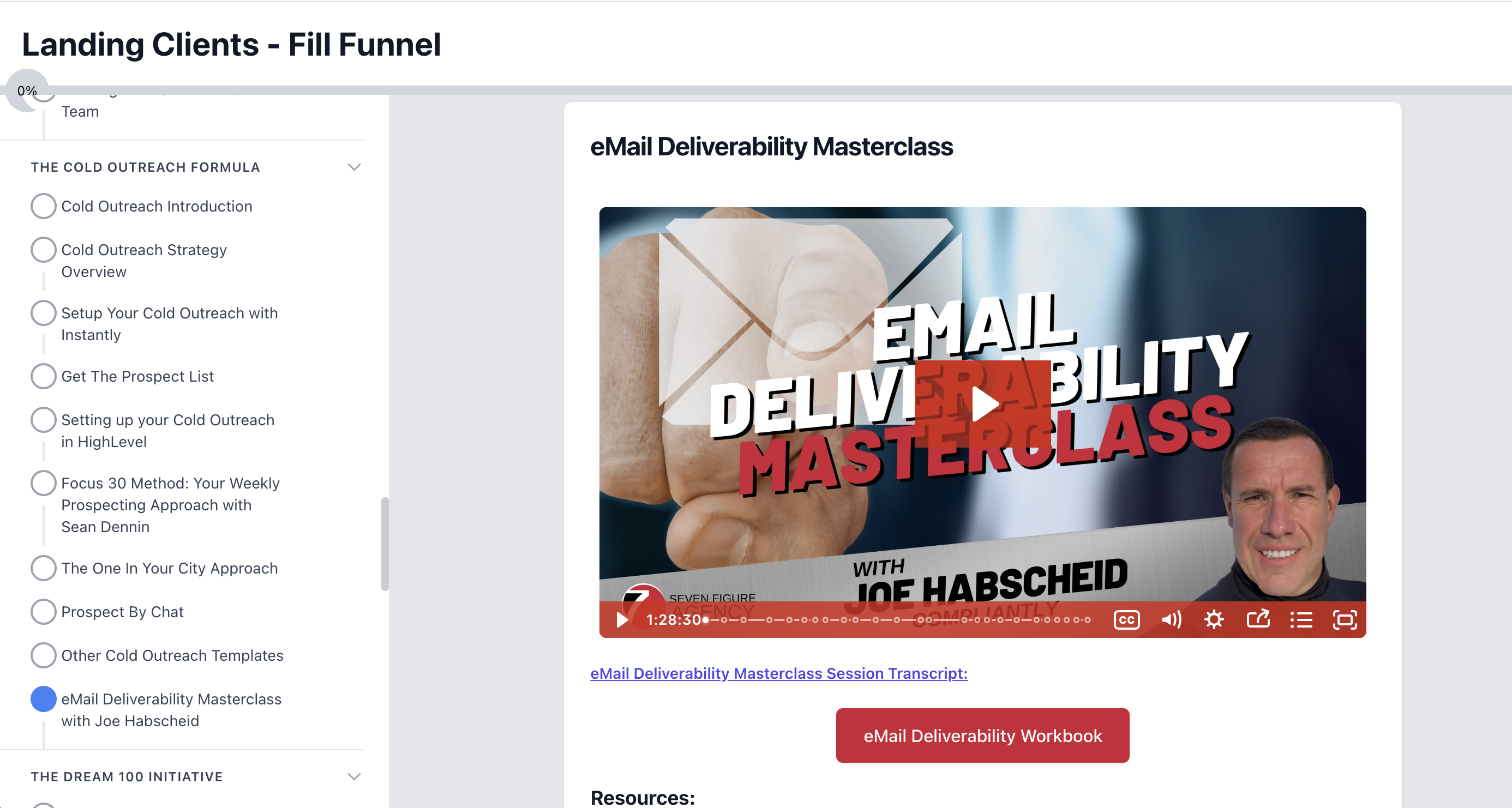
Joe Habscheid has already done a deep dive on this inside the Seven Figure Agency portal — the Email Deliverability Masterclass. Make sure you've watched that too. It's about an hour and a half with a workbook.
You'll find it under Landing Clients > Fill Funnel > The Cold Outreach Formula > eMail Deliverability Masterclass with Joe Habscheid.
Log into the Seven Figure Agency portal and search for "email deliverability" to find it.
Want Even More? My Audit with Dom Bavaro
I also brought on Dom Bavaro — a SaaS-preneur gold award winner who's been around since the ClickFunnels days — and we did a live audit of my HighLevel email setup on camera. We went through everything step by step. Here's what we covered:
What We Found
Dedicated domains and notification domains. Set up a separate notification domain at the agency level for password resets and utility emails. Those are sacrificial — people don't interact with them, which hurts reputation. Keep your marketing on your main domain and your notifications on the throwaway.
Each subdomain is its own reputation. Email providers treat james.ddxweb.com and m.ddxweb.com as completely separate. Don't send marketing from your root domain — if it gets flagged, every subdomain burns with it. Use subdomains so you can start fresh if one gets flagged.
DMARC and blacklist checks. Run your sending domain through MXToolbox.com to verify your DMARC record is published and you're not on any blacklists. All green = good. Any red = emails getting blocked.
Our Toolbox. Every platform, plugin, and service we use and recommend, in one place. See the list →
List hygiene was the biggest eye-opener. I was showing 59% delivered on a campaign — looked terrible. But most of the "missing" emails were skips from contacts with DND enabled. We added two smart list filters:
- DND is not enabled for email — My list dropped from 4,000 to 2,992
- Last email open date is less than 101 days ago — Knocked off another thousand who hadn't opened anything in three months
Not everybody's worth sending an email to. Sending to unengaged contacts actively hurts your reputation. The smart list self-cleans over time — new contacts get added, unengaged ones drop off.
The benchmarks to shoot for:
| Metric | Target |
|---|---|
| Delivered | 98%+ |
| Open rate | 20-40% (industry average is 20-25%) |
| Click rate | 5-10% of people who opened |
| Soft/hard bounce | Under 1% each |
| Spam complaints | Under 0.5% |
The diagnostic framework is simple. Low opens? Fix your subject lines. Low clicks? Fix your body copy.
Subject line tips from Dom: Skip emojis and rockets (they trigger spam filters). Skip animated GIFs. Consider dropping the first name variable — "the only people who use it are marketers." Try to look like a real person in someone's inbox, not a marketer.
Compliance footer boosts deliverability. Include links to your privacy policy and terms and conditions in your email footer. Email servers read this and it signals compliance. Also consider using a trigger link for unsubscribe instead of HighLevel's default DND — that way people can opt out of marketing blasts without losing transactional emails like password resets.
Google Postmaster Tools. HighLevel recently added this integration under Settings > Email Services > Postmaster Tools. Hook it up — it gives you actual data on spam rate, delivery errors, and domain reputation. Before this, deliverability was mostly vibes.
Track email ROI. Turn on Track Clicks and Track UTM when creating campaigns. HighLevel can attribute revenue directly to email campaigns through your Stripe account. Set attribution window to 5 days.
Dom runs his own YouTube channel with tons of HighLevel content — check him out at youtube.com/@dombavaro.
Still Need Help? Hire an Expert
If you've gone through the training and the audit and you're still struggling — or if you'd rather just hand it off — I've put together a list of email deliverability experts I trust. These are the people who live and breathe this stuff and can audit your setup for you.
We are an independent affiliate of HighLevel and may earn a commission if you sign up through links on this page. We are not employees or representatives of HighLevel.
We are an independent affiliate of Seven Figure Agency and may earn a commission if you sign up through links on this page. We are not employees or representatives of Seven Figure Agency.
We are an independent affiliate of ClickFunnels and may earn a commission if you sign up through links on this page. We are not employees or representatives of ClickFunnels.
This article blends original content, AI-assisted drafting, and human oversight. How I write.
Stay Updated
Get notified when new content is published.
No spam. Unsubscribe anytime.