Pay Your Federal Income Tax Online
Paying the IRS Online Is Easier Than You Think
I just finished paying my Utah state income tax (wrote about that here) and now it was time for the big one: federal. Form 1040-V, balance due, the IRS wants their money.
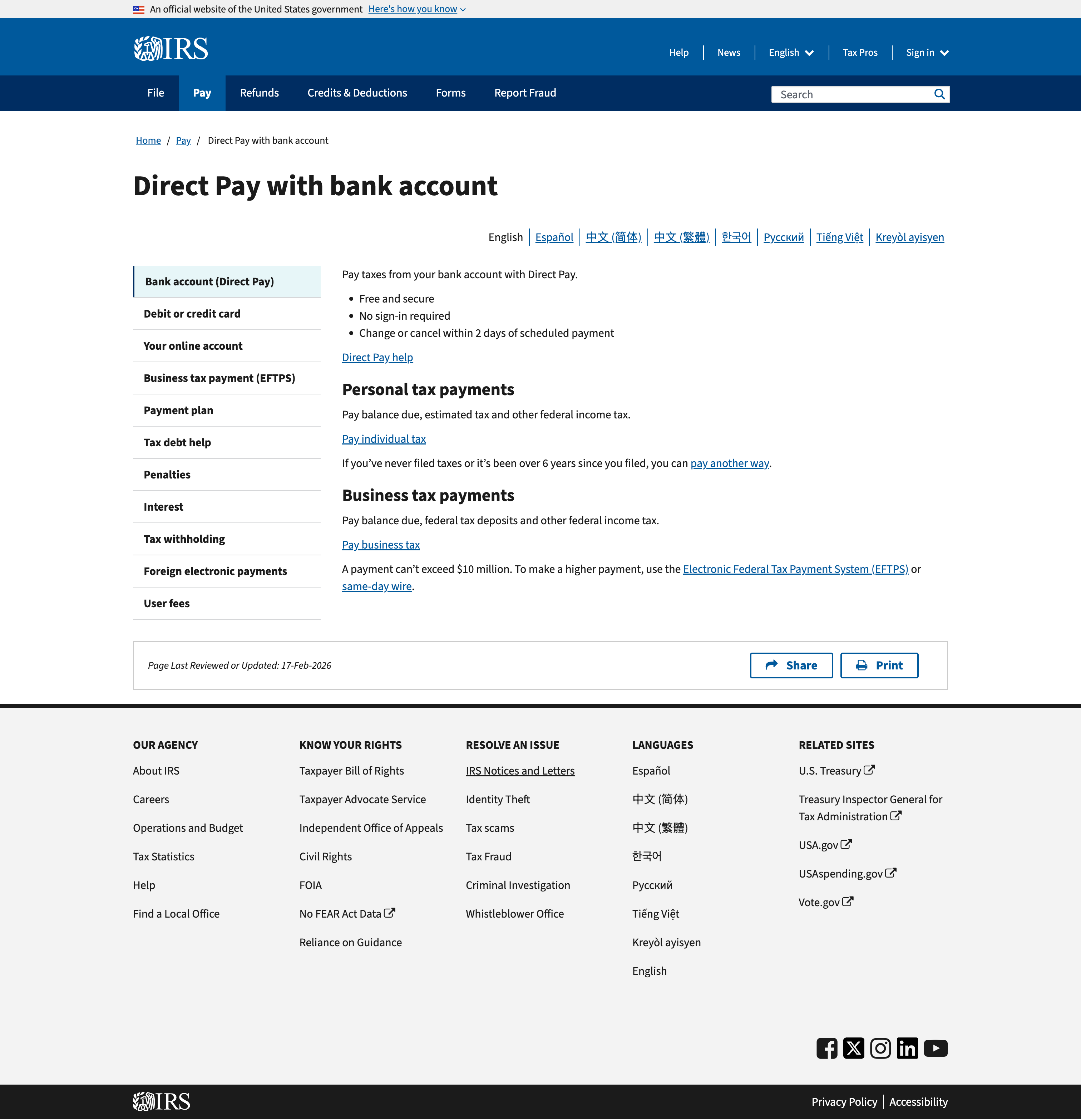
Turns out, the IRS has a tool called Direct Pay that makes it pretty painless. No account required, no sign-in, just your SSN and a bank account. I walked through it step by step with Claude Code the same way I did with the Utah payment, and the whole thing took maybe five minutes.
Here's what I did so you can do the same.
Disclaimer: I'm not a CPA, I'm not an attorney, and I'm not giving tax advice. This is what I did, and it worked for me. If you're unsure about your situation, talk to a professional. I'm just a guy who paid his taxes online and wrote down the steps.
Step 1: Go to IRS Direct Pay
Head to the IRS website and find the Direct Pay page. You'll see two sections: Personal tax payments and Business tax payments.
Click "Pay individual tax" under Personal tax payments, then click the blue "Make a payment" button.
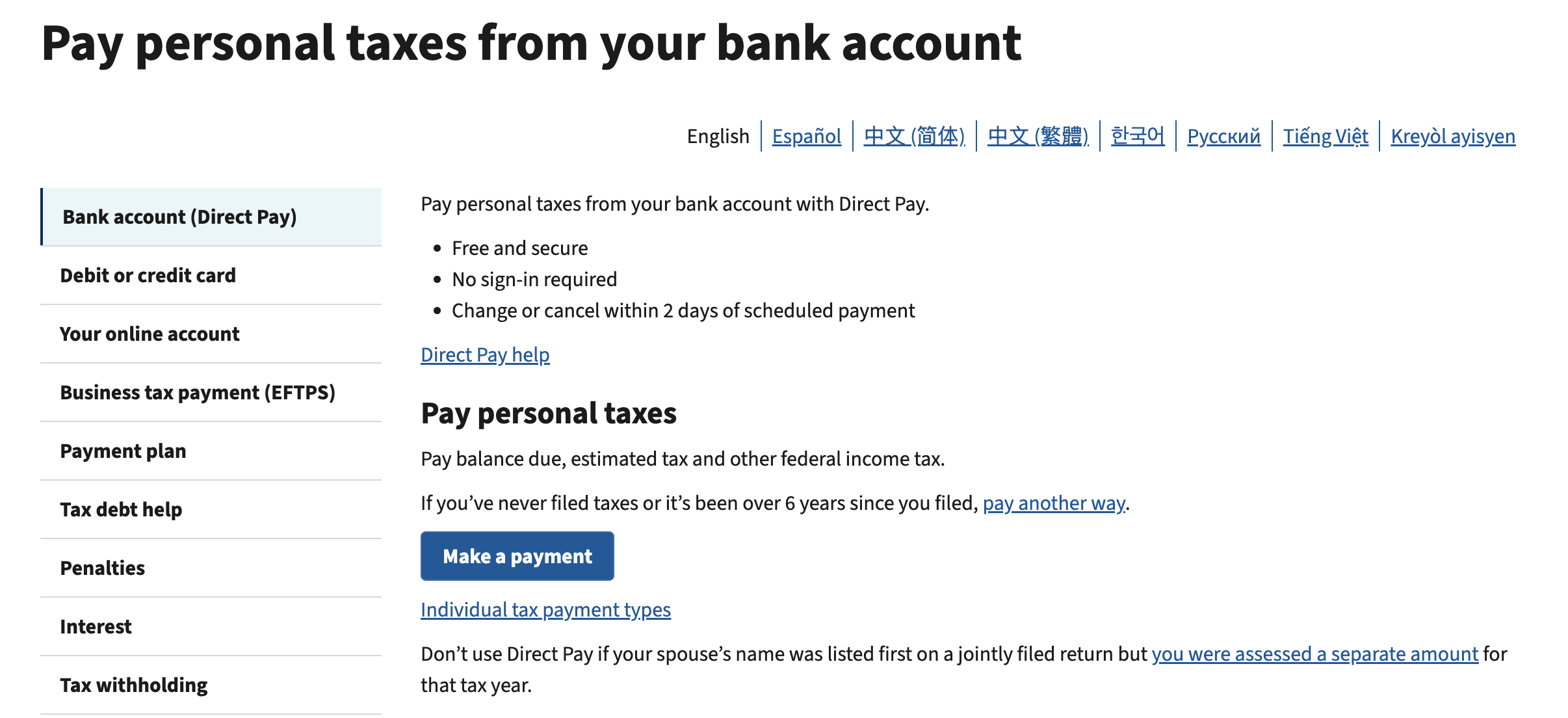
One thing to note: there's a warning that says if your spouse's name was listed first on a jointly filed return, you should use a different method. So make sure the primary filer (the name listed first on your 1040) is the one going through this process.
Step 2: Select Your Tax Type
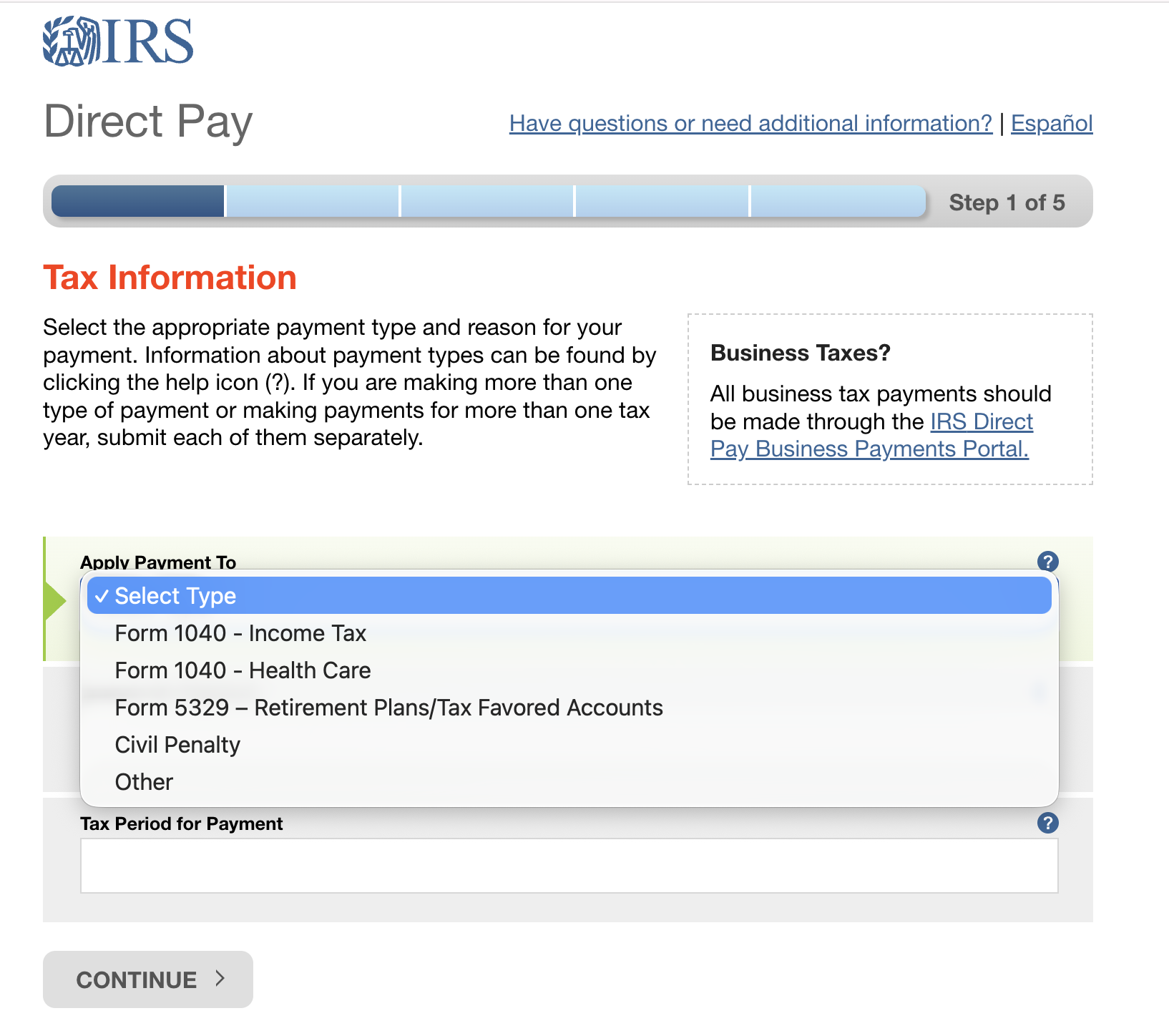
On the Tax Information page (Step 1 of 5), you'll see an "Apply Payment To" dropdown with options like Form 1040 Income Tax, Form 1040 Health Care, Form 5329, and others.
Select Form 1040 - Income Tax.
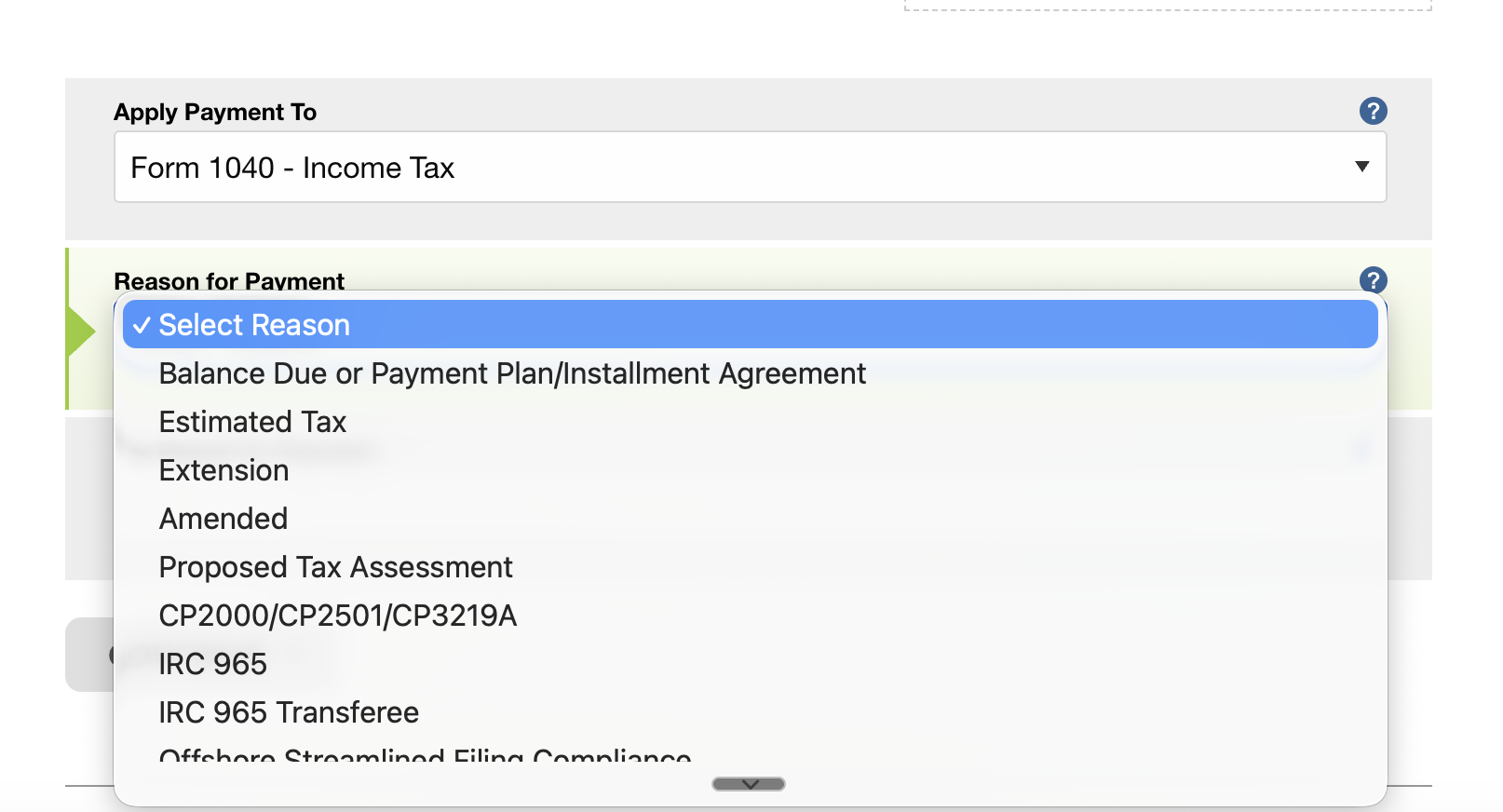
Step 3: Choose Your Reason for Payment
Next is the "Reason for Payment" dropdown. You'll see options like Balance Due, Estimated Tax, Extension, Amended, and a bunch of others.
Select Balance Due or Payment Plan/Installment Agreement. This is the standard option for paying what you owe on your filed return.
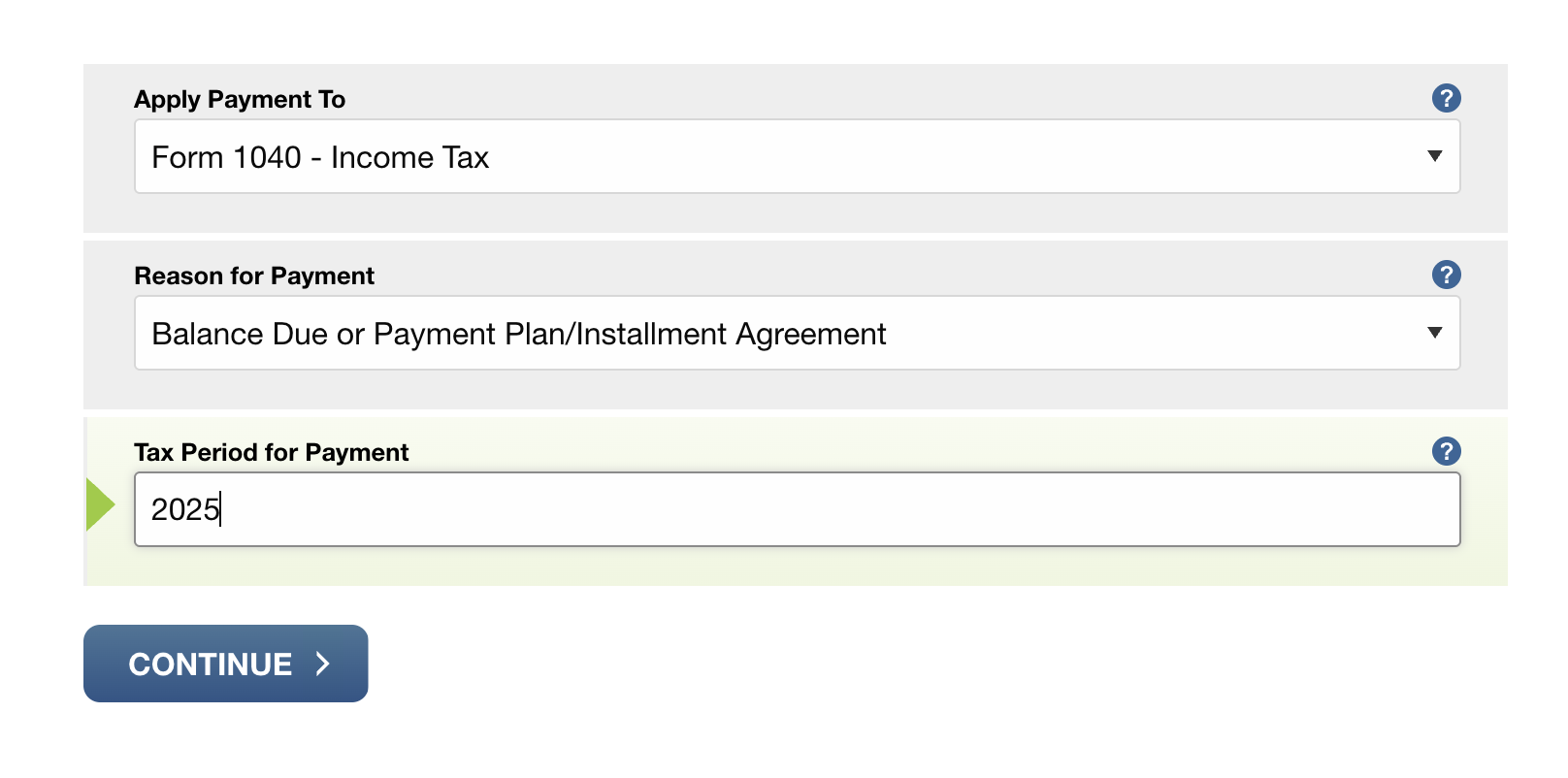
Then set the Tax Period for Payment to 2025 (or whatever year you're paying for).
Our Toolbox. Every platform, plugin, and service we use and recommend, in one place. See the list →
Step 4: Verify Your Identity
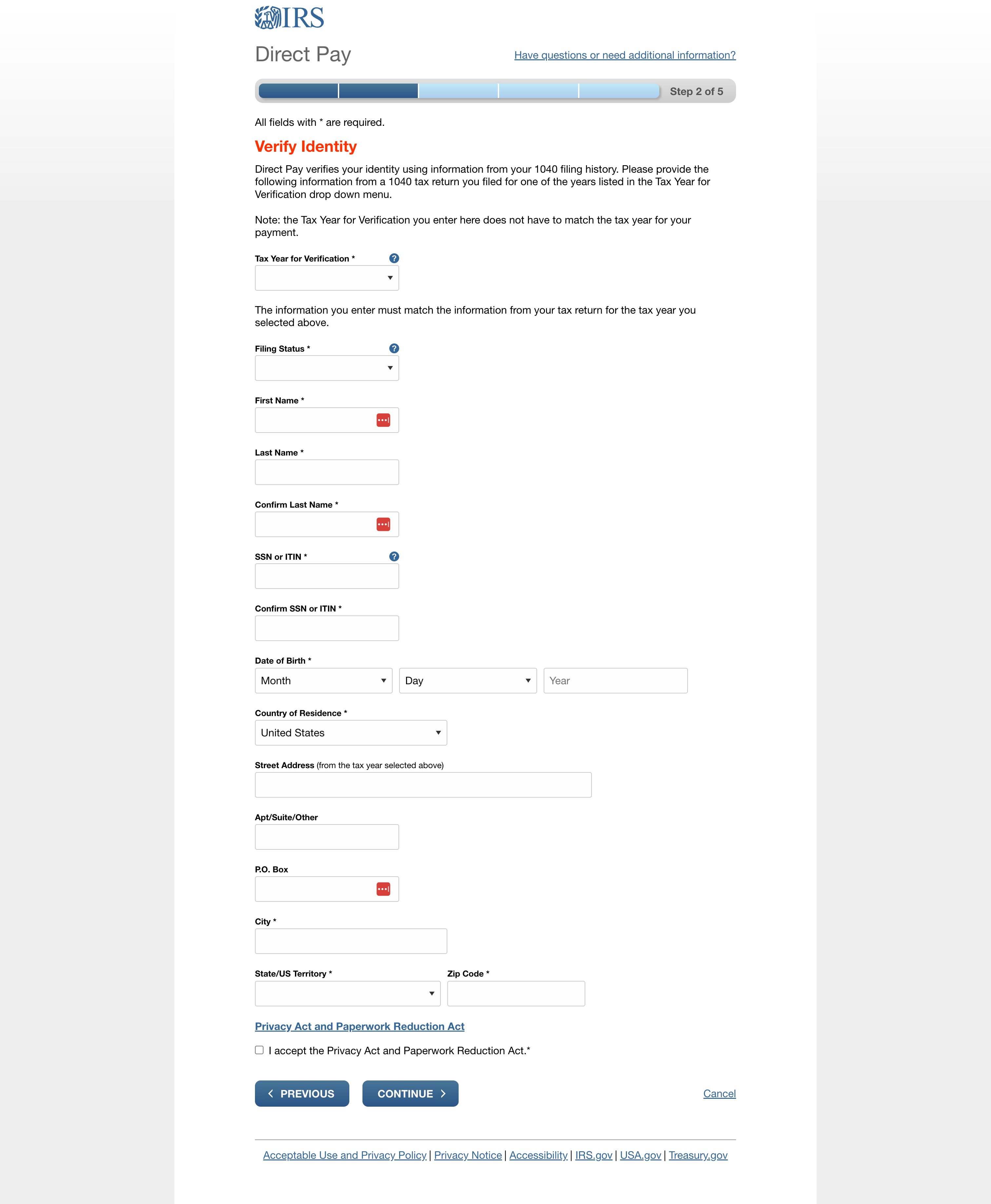
This is Step 2 of 5. The IRS verifies your identity using information from a previously filed 1040 return. You'll need:
- Tax Year for Verification - Pick any year you've filed before (this doesn't have to match the payment year)
- Filing Status - Match what you filed for that verification year (e.g., Married Filing Jointly)
- First Name and Last Name
- SSN or ITIN
- Date of Birth
- Street Address, City, State, Zip - Use the address from the return for whatever verification year you picked
Check the Privacy Act checkbox at the bottom and hit Continue.
Step 5: Enter Payment Details
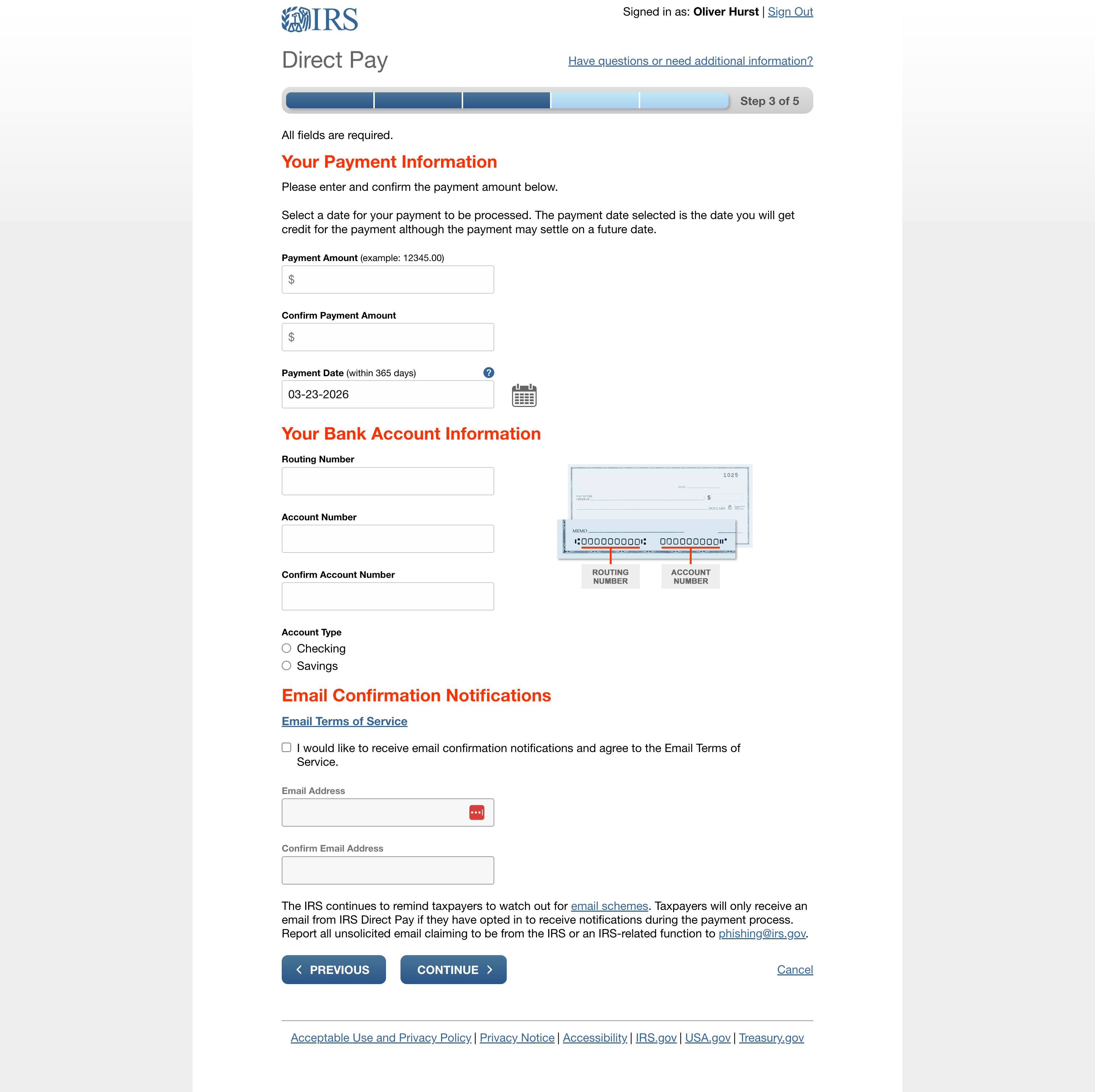
Once your identity is verified, you'll land on the payment information page (Step 3 of 5). Enter:
- Payment Amount - The exact amount from your 1040-V voucher or tax return
- Payment Date - You can pay today or schedule it up to 365 days out
- Routing Number and Account Number - From your bank account
- Account Type - Checking or Savings
- Email - Check the box to receive email confirmation (recommended)
Step 6: Review and Submit
Step 4 is a review page where you confirm everything looks right. Step 5 is the confirmation. You'll get a confirmation number on screen, and if you opted in, an email confirmation as well.
Save that confirmation number. You can also print the confirmation page for your records.
A Few Things Worth Knowing
You can change or cancel within 2 days. If you realize you entered the wrong amount or need to cancel, you have a two-day window.
No account needed. Unlike a lot of government websites, you don't need to create a login or remember a password. Just your personal information and bank details.
The payment date can be scheduled. You don't have to pay the moment you file. You can schedule the payment for a future date within 365 days. This is helpful if you want to file now but pay on the deadline.
The AI Part
Same as with my Utah state taxes, I used Claude Code to walk through this entire process. I showed it each screen, and it told me which dropdown to pick, which fields to fill in, and what to watch out for (like the joint filer warning).
For something like paying the IRS where every dropdown feels like it could trigger an audit if you pick the wrong one, having an AI say "that one, you're good" is worth a lot of peace of mind.
See Also
- Pay Your Utah State Income Tax Online - The companion walkthrough for state taxes
- Claude Code - The AI tool I used to walk through this process
This article blends original content, AI-assisted drafting, and human oversight. How I write.
Stay Updated
Get notified when new content is published.
No spam. Unsubscribe anytime.