HighLevel Blog RSS Feed: Auto-Send Blog Posts via Email
HighLevel enhanced the blog RSS feed feature, making it easier to automatically distribute blog content via email.
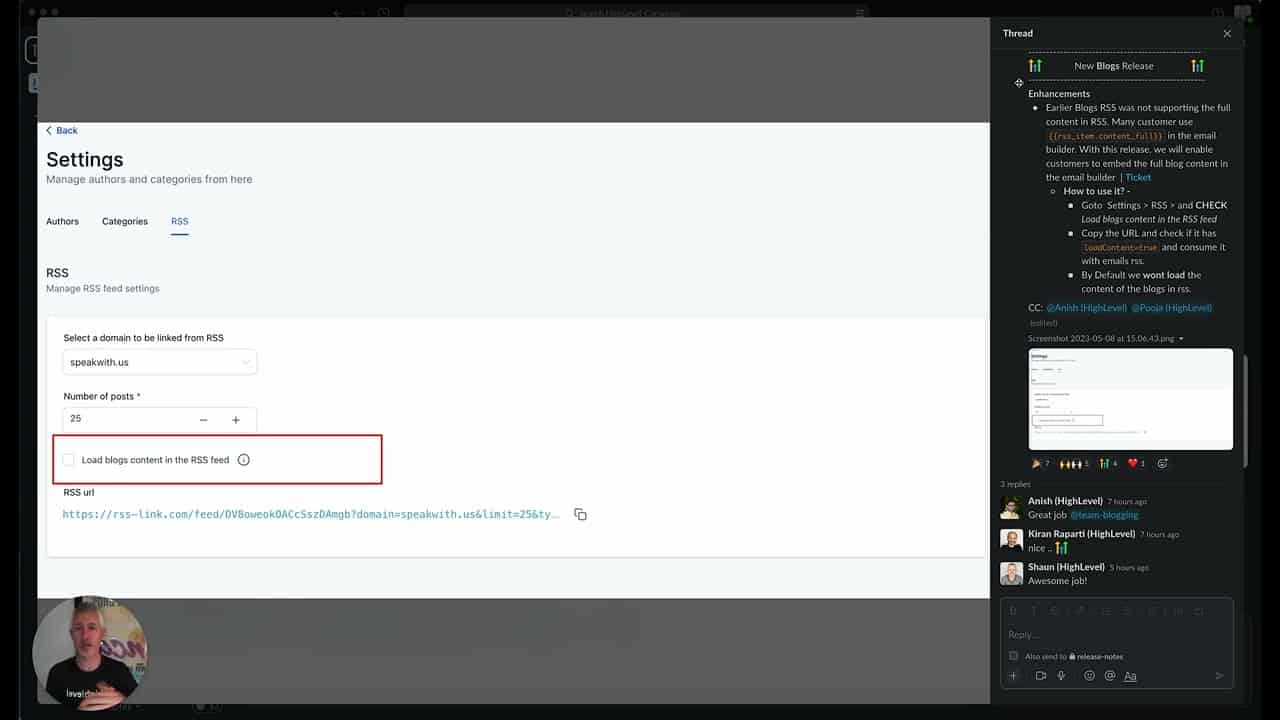
Click on the image above to watch the full video.
What's New
Full Content in Emails
The RSS Item Content Full option lets you include the entire blog post in your email, not just a snippet.
This is great for:
- Short blog posts
- Quick updates
- Content you want read in the inbox
Email Builder Integration
Automatically send blog entries using the email builder:
- Create an email template
- Add the RSS feed element
- New posts auto-populate
Universal RSS Feed
The RSS feed is global and works with:
Our Toolbox. Every platform, plugin, and service we use and recommend, in one place. See the list →
- HighLevel email builder
- Other email marketing platforms
- RSS readers
- Automation tools like Zapier
What Is RSS?
RSS (Really Simple Syndication) is a standard format for sharing content:
- Feeds content to other systems
- Automatically updates when you publish
- Works with many platforms
- Simple and widely supported
How to Use It
Step 1: Enable Blog RSS
Your blog automatically generates an RSS feed at:
yourdomain.com/blog/rss
Step 2: Add to Email Builder
In your email:
- Add an RSS block
- Enter your RSS feed URL
- Configure display options
Step 3: Automate Distribution
Set up an automation to send when new content is published.
Use Cases
- Newsletter automation — Automatically include recent posts
- Content distribution — Push to multiple platforms
- Email campaigns — Include blog content in emails
- Cross-platform sync — Feed to social media tools
See Also
- HighLevel — The platform
- Email Marketing — Email capabilities
See Also
We are an independent affiliate of HighLevel and may earn a commission if you sign up through links on this page. We are not employees or representatives of HighLevel.
Some links in this article are affiliate links. If you purchase through them, we may earn a commission at no extra cost to you. This helps support our content.
This article blends original content, AI-assisted drafting, and human oversight. How I write.
Stay Updated
Get notified when new content is published.
No spam. Unsubscribe anytime.