HighLevel Clone Funnels to Folders + International Support
HighLevel updated the funnel and website builder with better organization features and international language support.
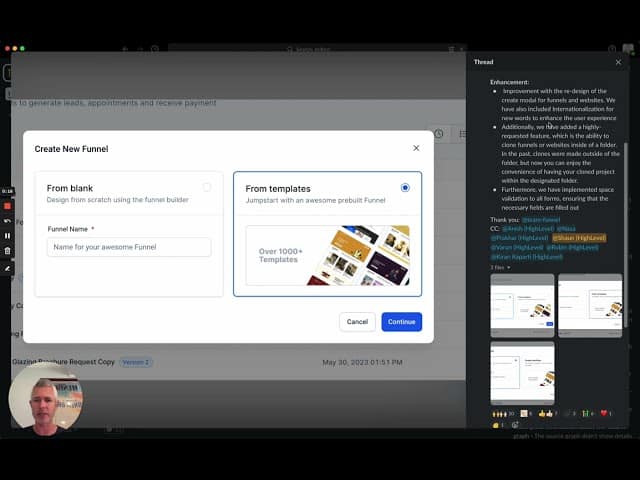
Click on the image above to watch the full video.
Clone to Folders
What's New
When cloning a funnel or website, you can now:
- Clone directly into a specific folder
- Keep your projects organized
- Avoid cluttered "unfiled" sections
How to Use It
- Right-click on a funnel or website
- Select Clone
- Choose the destination folder
- The clone appears in your selected folder
Internationalization
Global Language Support
The funnel and website creation interface now supports multiple languages:
- Interface text in your language
- Localized date/time formats
- Better experience for non-English users
How to Set Your Language
Your language preference is set in your user profile settings.
Our Toolbox. Every platform, plugin, and service we use and recommend, in one place. See the list →
Form Validation Improvements
Space Validation
Forms now include space validation:
- Required fields can't be filled with just spaces
- Prevents incomplete submissions
- Better data quality
Why Organization Matters
As you create more funnels:
- Folders keep things findable
- Cloning to folders saves cleanup time
- Consistent organization helps team members
Folder Best Practices
- By client — One folder per client
- By campaign — Group related funnels together
- By status — Active, archived, testing folders
- By type — Lead gen, sales, webinar funnels
Clone External Pages
HighLevel's native clone feature works within your own account. If you want to clone a page from any HighLevel site (not just your own), check out Fer Patel's Super Cloner. It copies the structure, layout, and mobile version—you just swap out the content.
See Also
See Also
This article blends original content, AI-assisted drafting, and human oversight. How I write.
Stay Updated
Get notified when new content is published.
No spam. Unsubscribe anytime.