How to Save Your Custom GPTs and Move Them to Claude Code
The Deadline
If you have used ChatGPT for a while, you probably built a few custom GPTs. I did too. Some of mine already moved into Claude projects. For real freedom, though, the best home for them now is a repository in Claude Code.

Click on the image above to watch the full video.
There is a deadline. ChatGPT retires custom GPTs on December 11, 2026, and ChatGPT's own banner says that GPTs that are not migrated will not be available after that date. The export is a handful of clicks per GPT, so get yours out first and decide what to do with them after.
A Custom GPT Can Only Talk

A custom GPT lives inside a chat window. You type, it answers, and that is the end of what it can do for you. The same instructions in a Claude Code repository can do the work itself:
| In a repository, your GPT can | What that looks like |
|---|---|
| Read your files | The documents and data right on your computer |
| Use your tools | Your email, your calendar and more |
| Publish to your website | Pages, posts and updates |
| Run on a schedule | The job runs while you sleep |
Think of the custom GPT as a smart assistant who can only talk to you through a window. Moving it into a repository opens the door and hands it the keys.
Step by Step: Get the GPT Out of ChatGPT
ChatGPT does not hand you the files from the GPT editor. The way out is the Migrate to plugin button, which turns the GPT into a plugin you can download as a ZIP file.
- Open the ChatGPT home page.
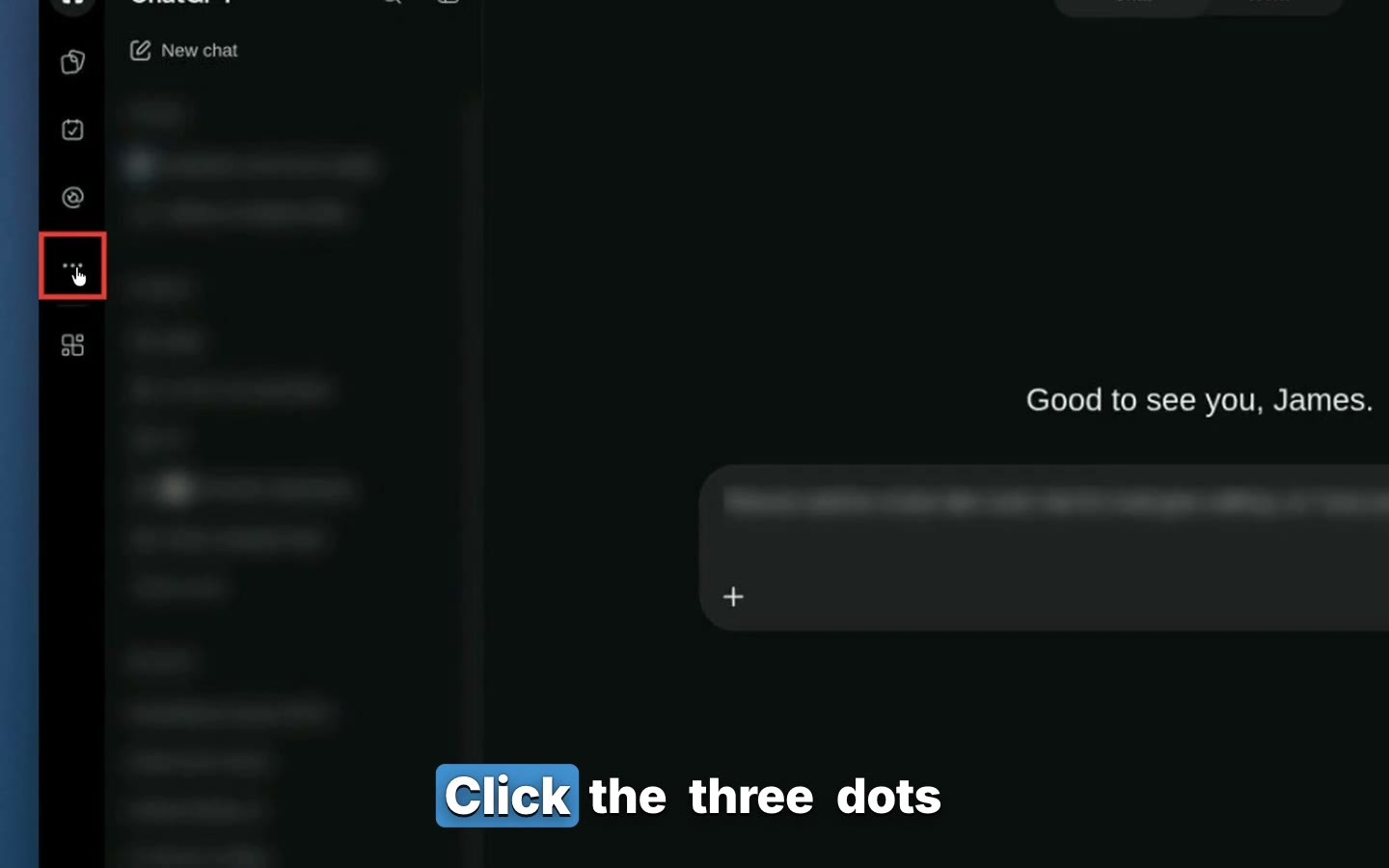
- Click the three dots in the left menu, then click GPTs.
- Click the My GPTs button at the top right.
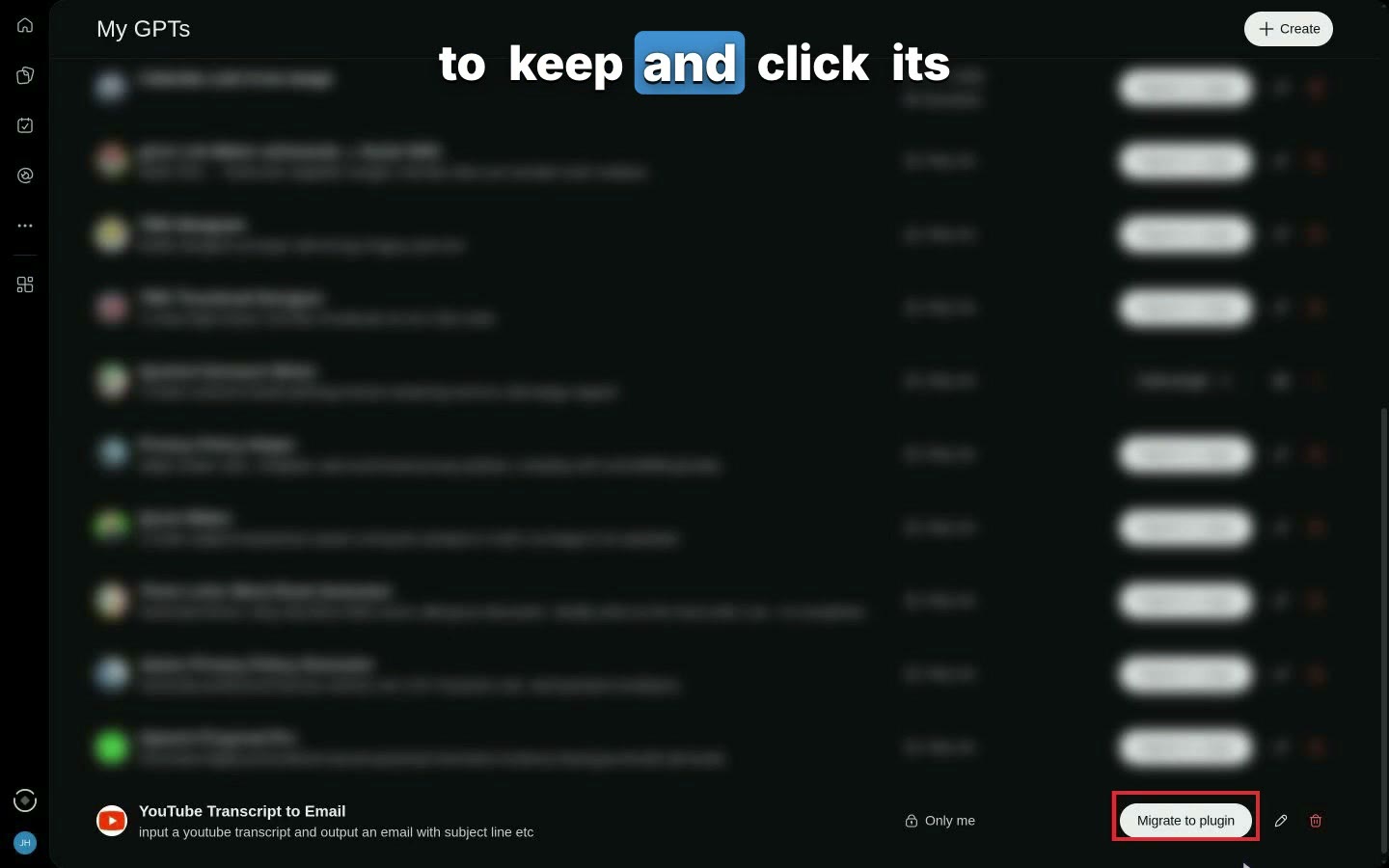
- Find the GPT you want to keep and click its Migrate to plugin button.
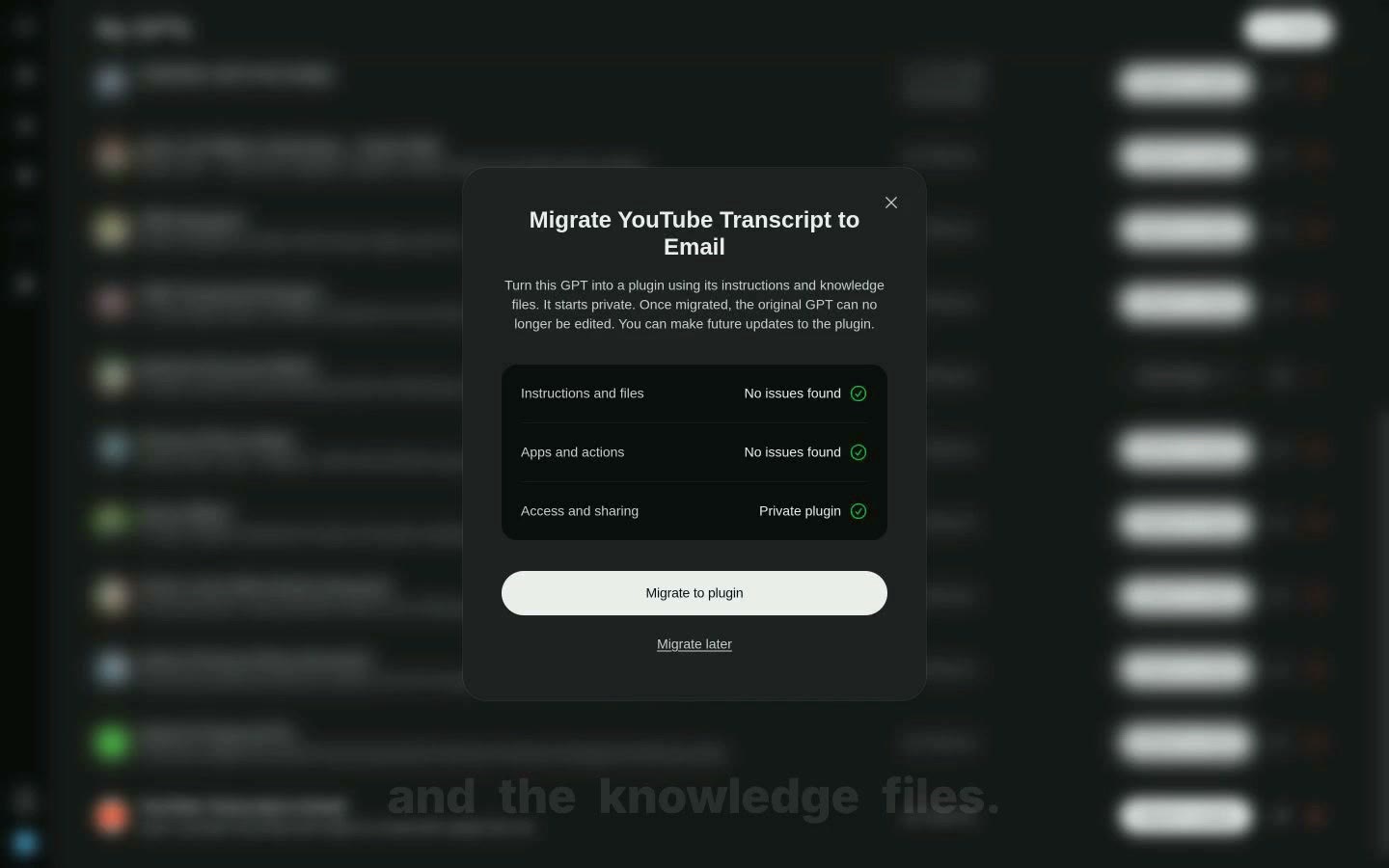
- ChatGPT checks the instructions and the knowledge files, then shows the result. Read the note before you confirm: once you migrate, the original GPT can no longer be edited.
- Click Migrate to plugin again to confirm.
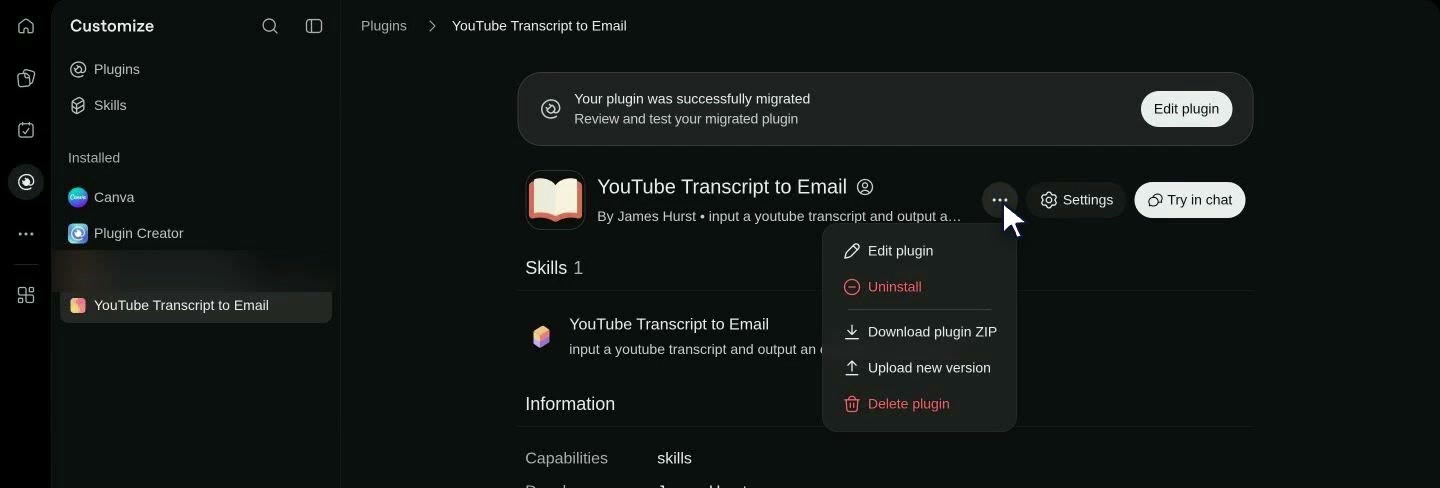
- On the plugin page, click the three dots next to Settings, then click Download plugin ZIP.
Our Toolbox. Every platform, plugin, and service we use and recommend, in one place. See the list →
That ZIP is the GPT as a plugin: its instructions, plus any knowledge files it had. Repeat the steps for every GPT you rely on.
Bring the ZIP Into Claude Code
Open Claude Code and give it one sentence:
Bring this custom GPT in as a new repository.
Point it at the ZIP in your Downloads folder. Claude Code unzips it, reads every file, and sets it up as its own project.
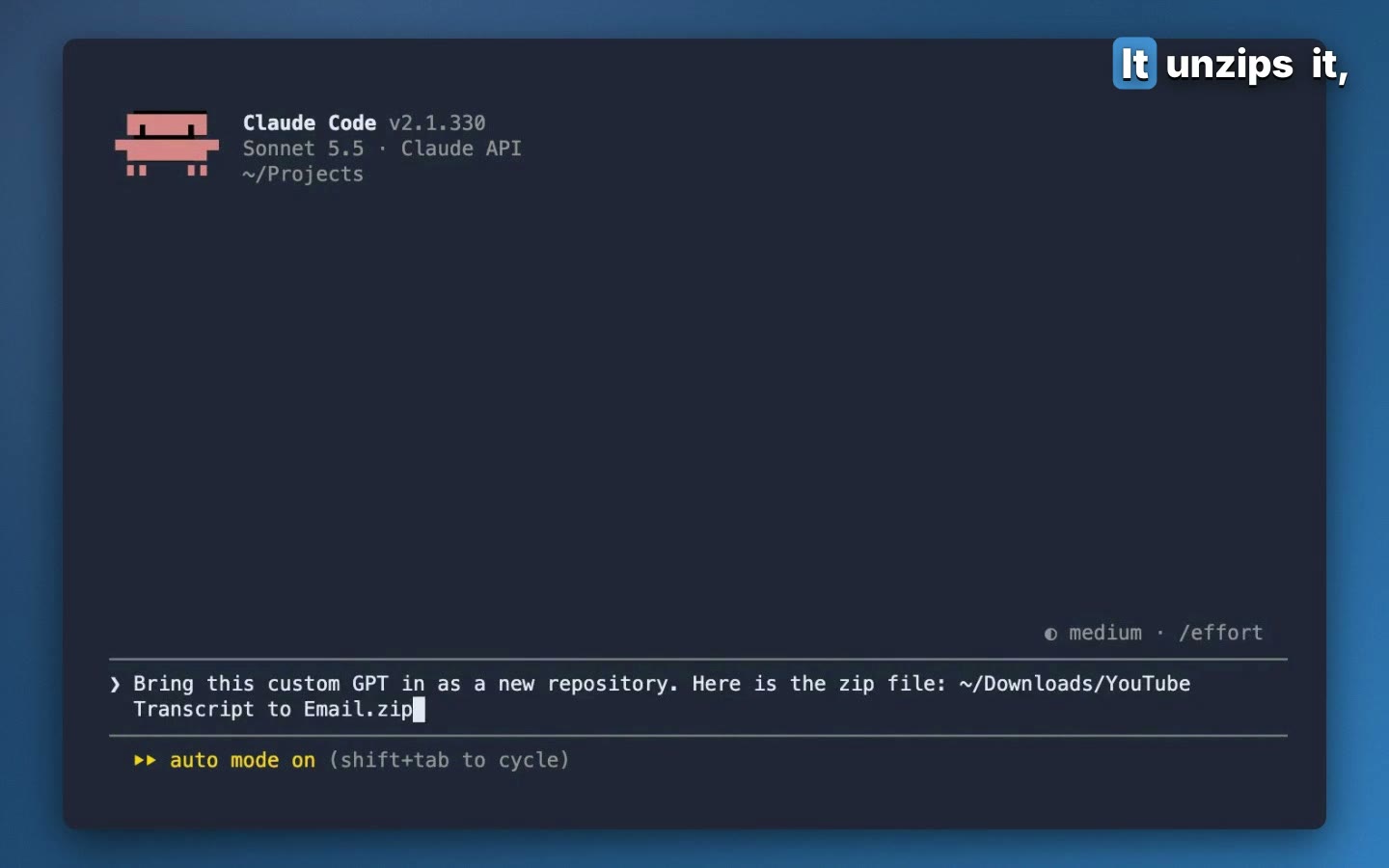
From there, the GPT is a project like any other in Claude Code. You can ask it to read files, connect it to your tools, publish to your site, or put it on a schedule. If you have not used Claude Code before, start with your first day with Claude Code.
Need help with this? Create a ticket today →
Save Every GPT You Rely On
Save every custom GPT you rely on before December 11, 2026, and give each one a home where it can do the work. The export is quick. The part worth your time is deciding what each GPT should do now that it is out of the chat window.
If you want to learn more about AI, join the free Facebook group, AI for Entrepreneurs. And if you would rather have someone set this up with you, MyTechSupport.com can help.
See Also
- AI Action Figures and Custom GPTs, how custom GPTs work in the first place
- Claude Code Changed How I Build Everything
See Also
We are an independent affiliate of Claude Code and may earn a commission if you sign up through links on this page. We are not employees or representatives of Claude Code.
Some links in this article are affiliate links. If you purchase through them, we may earn a commission at no extra cost to you. This helps support our content.
This article blends original content, AI-assisted drafting, and human oversight. How I write.
Stay Updated
Get notified when new content is published.
No spam. Unsubscribe anytime.