Stop Memorizing Port Numbers: Give Each Local App a Name
The Pain: A Drawer Full of Port Numbers
The fastest way to have AI make something for you is to have it open the result on localhost, a web page running on your own computer. No hosting, no deploy, no login. You ask, and a few minutes later the thing is sitting in your browser.
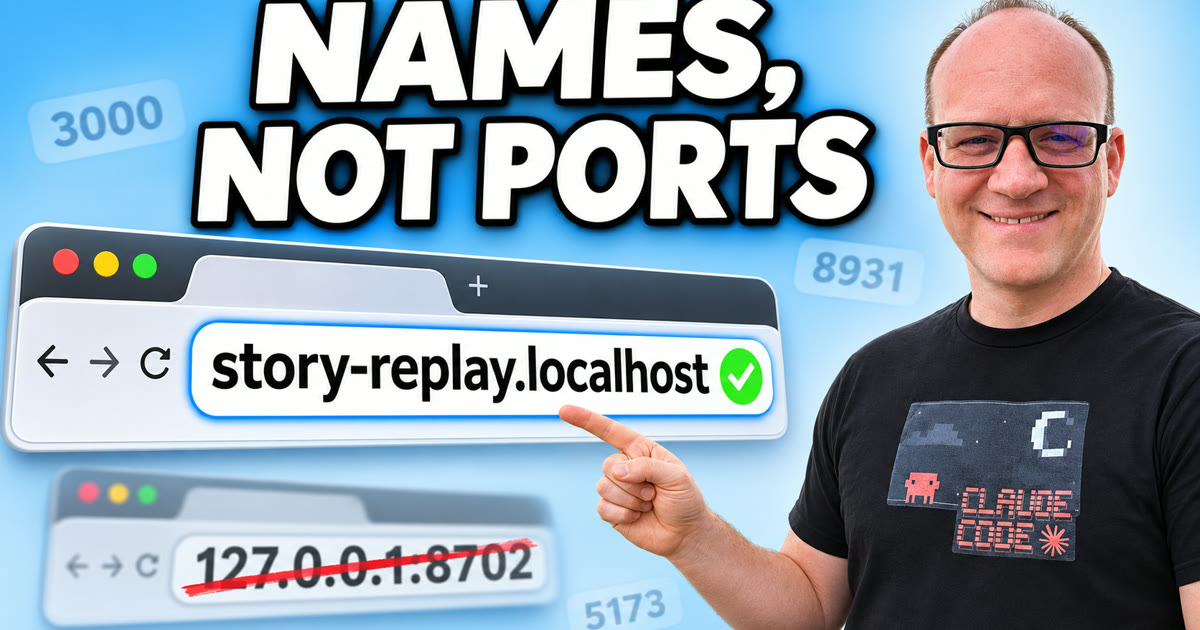
Click on the image above to watch the full video.
So I started opening up tons of things on localhost with Claude Code: a transcript editor, an image viewer, a dashboard for a client, an approval page, a voice tester, a page for re-posting testimonial videos. Some are a single page. Others need a small server running behind them.
Every one of those servers listens on a port. Think of your computer as one big apartment building and each port as a door number. Your browser reaches an app by knocking on its door, with an address like 127.0.0.1:3100. That works with two or three apps. I passed two dozen, each new project picked its own number, and the only index was my memory.
Then two of them picked the same door.
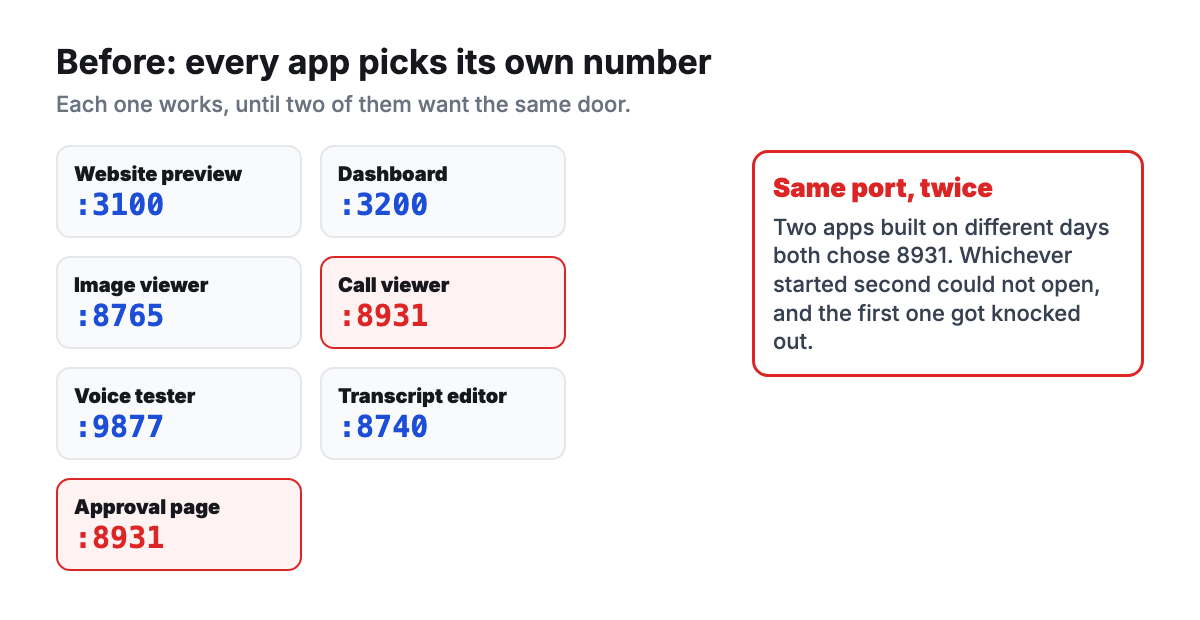
A call viewer and an approval page, built on different days, both chose port 8931. Each worked fine on its own. Run both, and whichever started second could not get its door, which knocked the first one out of the picture. Ports are not scarce. There are tens of thousands of usable ones. The problem was that nothing kept a list.
The Fix, Part One: One List Hands Out Every Port
The first half of the fix is boring on purpose: one list of every port, which app owns it, and which machine it runs on. A small command hands out the next free number when a new app needs one, and writes it down.
Two details make the list stick:
- It covers every machine. My projects sync between a few computers and a server, and tunnels carry a port from one machine to another unchanged. A number that is free on one machine but taken on another is a collision waiting to happen, so a new port has to be free everywhere.
- A hook enforces it. Claude Code supports hooks, small scripts that run before an action. One of mine blocks any edit that writes a port number the list did not hand out. It even caught a made-up port in an example while this post was being written.
The list tracks 88 ports across four machines today. That alone ended the collisions.
Our Toolbox. Every platform, plugin, and service we use and recommend, in one place. See the list →
The Fix, Part Two: Names Instead of Numbers
The list stops the fights. It does not make anything easier to remember. The part I am super happy about is the second half: every app also gets a name, like a little DNS just for the things I build.
Instead of 127.0.0.1:8702, the app lives at story-replay.localhost. I rarely type it. It sits in my bookmarks bar, and when it is open, the address bar tells me exactly which app I am looking at. That is a lot nicer than squinting at a number.
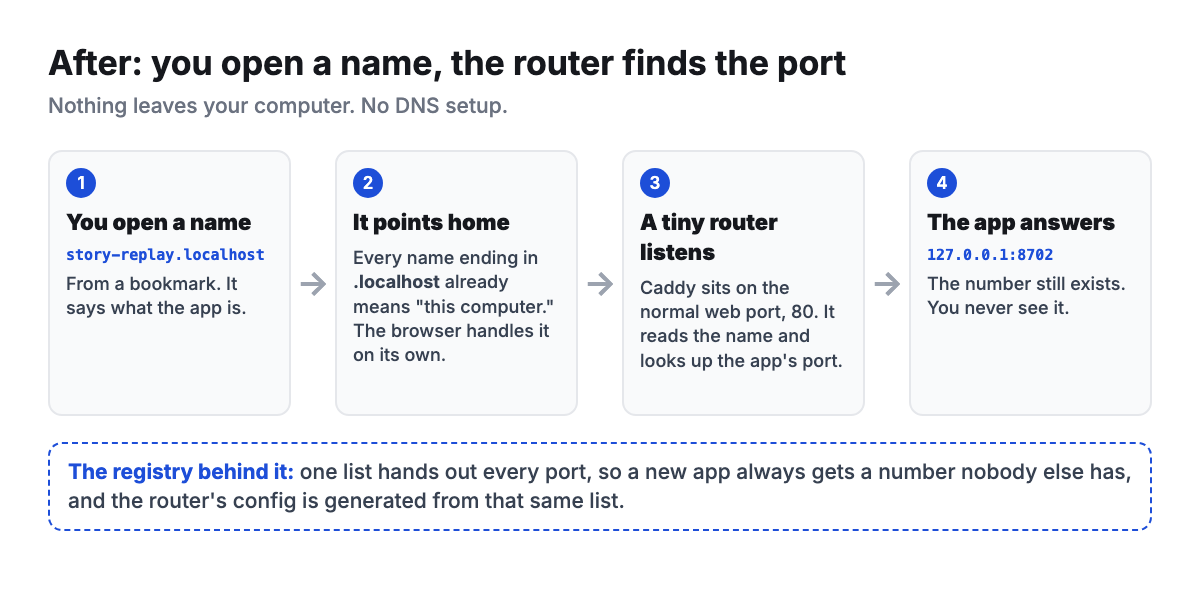
Here is why that works with no DNS setup:
- Every name ending in .localhost already means "this computer." Chrome-based browsers and Firefox send anything ending in .localhost straight to your own machine. There is nothing to register and nothing to buy.
- A tiny router listens on the normal web port. Caddy is a free, open-source web server. It runs on port 80, the port a browser uses when you do not type one. When a request arrives for story-replay.localhost, Caddy reads the name and hands the request to that app's real port.
- The router's settings come from the same list. When a new app gets a port and a name, the router config is regenerated from the list and reloaded, and the new name works right away.
- It only answers this computer. On a Mac, a regular user can only open port 80 by listening on every network address, so the router refuses any request that does not come from the machine itself. Nobody else on the Wi-Fi can reach your apps through it.
It feels like having a little DNS of my own for the things I build. A page made this morning got its port and its name automatically, and I never once saw the number.
Need help with this? Create a ticket today →
Set It Up Yourself
You do not need my exact setup to get the benefit. The core is one config file.
- Install Caddy. On a Mac with Homebrew, install the caddy package.
- Write one block per app. Each block names the app and points it at its port:
{
	auto_https off
	http_port 80
}

http://dashboard.localhost {
	reverse_proxy 127.0.0.1:3100
}

http://transcripts.localhost {
	reverse_proxy 127.0.0.1:3200
}
- Run Caddy at login. Homebrew's services command can start it every time you log in.
- Open your apps by name. Visit dashboard.localhost once, then bookmark it.
- Hand the bookkeeping to Claude Code. Ask it to keep the list of ports in one file, generate the Caddy config from that file, and add a hook that blocks any port not on the list. That turns a good habit into a rule nobody can forget.
The first setup takes the longest, mostly spent gathering the ports you already use. After that, adding a new app is one command.
Things to Know
- Safari can be pickier about .localhost names than Chrome and Firefox. I use a Chromium-based browser and have not tested Safari much.
- Port 80 has to be free. If another program already uses it, the router cannot start.
- This is for your own machine. It does nothing for a website the public visits. That is a job for real hosting, such as Cloudflare.
The names are a small thing, and they get used dozens of times a day. Every new tool shows up with a name I can guess, instead of one more number to keep in my head. If you run more than one Claude Code session at once, the same idea pairs well with opening pages without stealing your cursor.
See Also
We are an independent affiliate of Claude Code and may earn a commission if you sign up through links on this page. We are not employees or representatives of Claude Code.
Some links in this article are affiliate links. If you purchase through them, we may earn a commission at no extra cost to you. This helps support our content.
This article blends original content, AI-assisted drafting, and human oversight. How I write.
Stay Updated
Get notified when new content is published.
No spam. Unsubscribe anytime.